Our expert team will show you how to automate supplier and payroll payments.
book a demoA short, guided walkthrough, from connecting your software to funding a pay run.
join a webinarAuto-sync or file-import from Sage, FreeAgent, BrightPay and many more.
see all integrations
Pay your teams in bulk and at speed. No bank queues, no high fees. Send payroll files straight from Employment Hero to Telleroo, then pay every employee securely in one click.
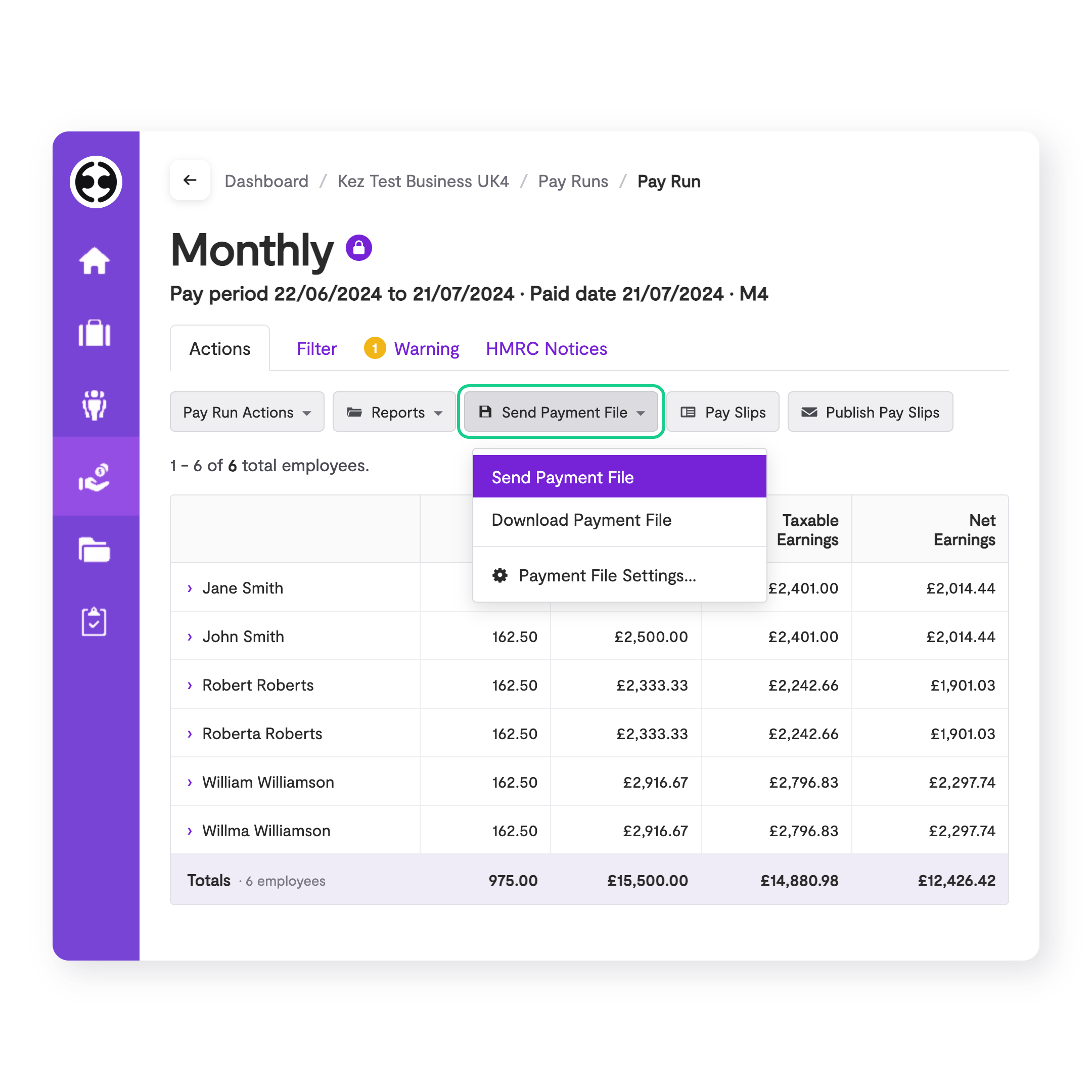
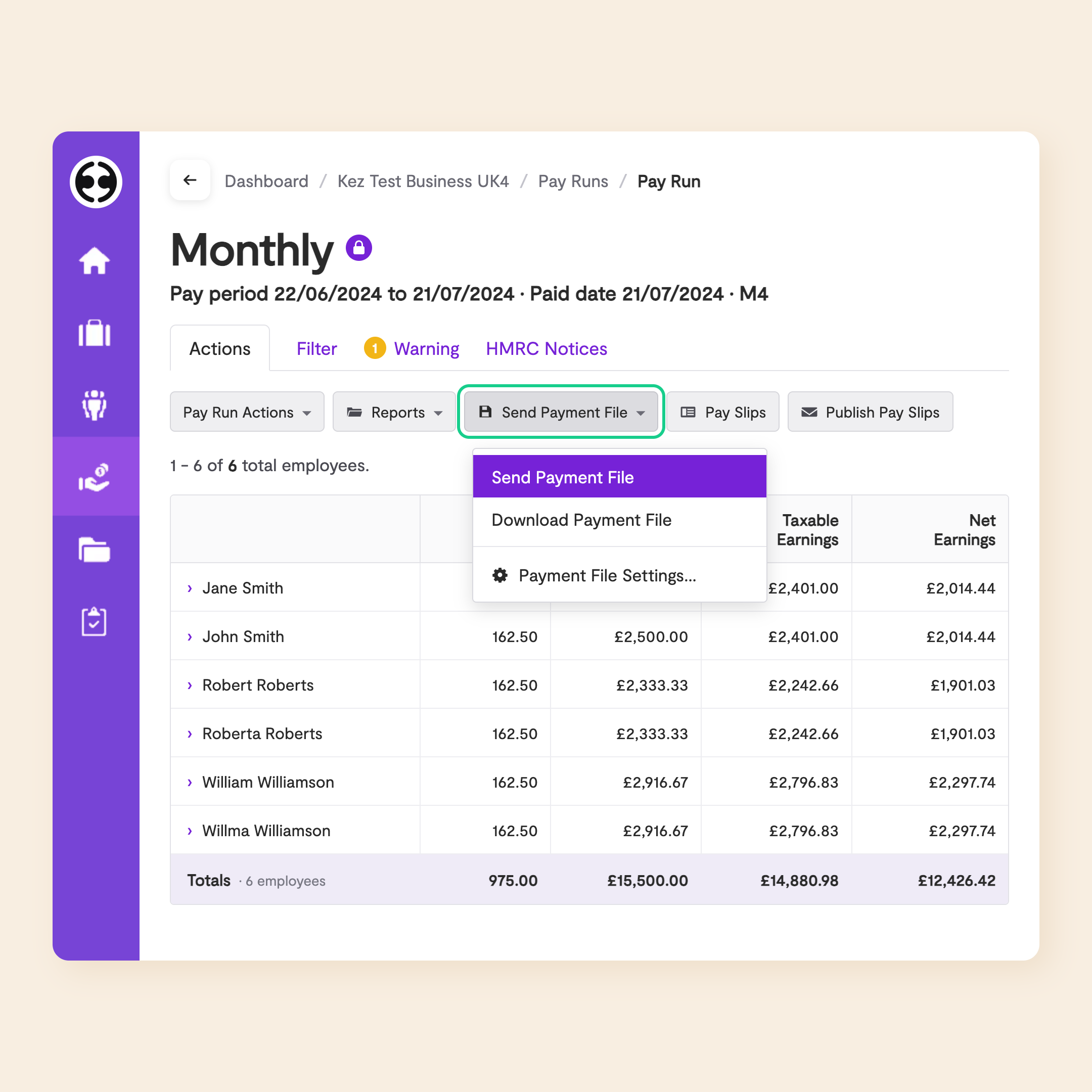
Send finalised payroll to Telleroo with a single click.
In Employment Hero, click 'Send Payment File'. Telleroo automatically creates your payroll payments as a bulk pay run, ready for approval.
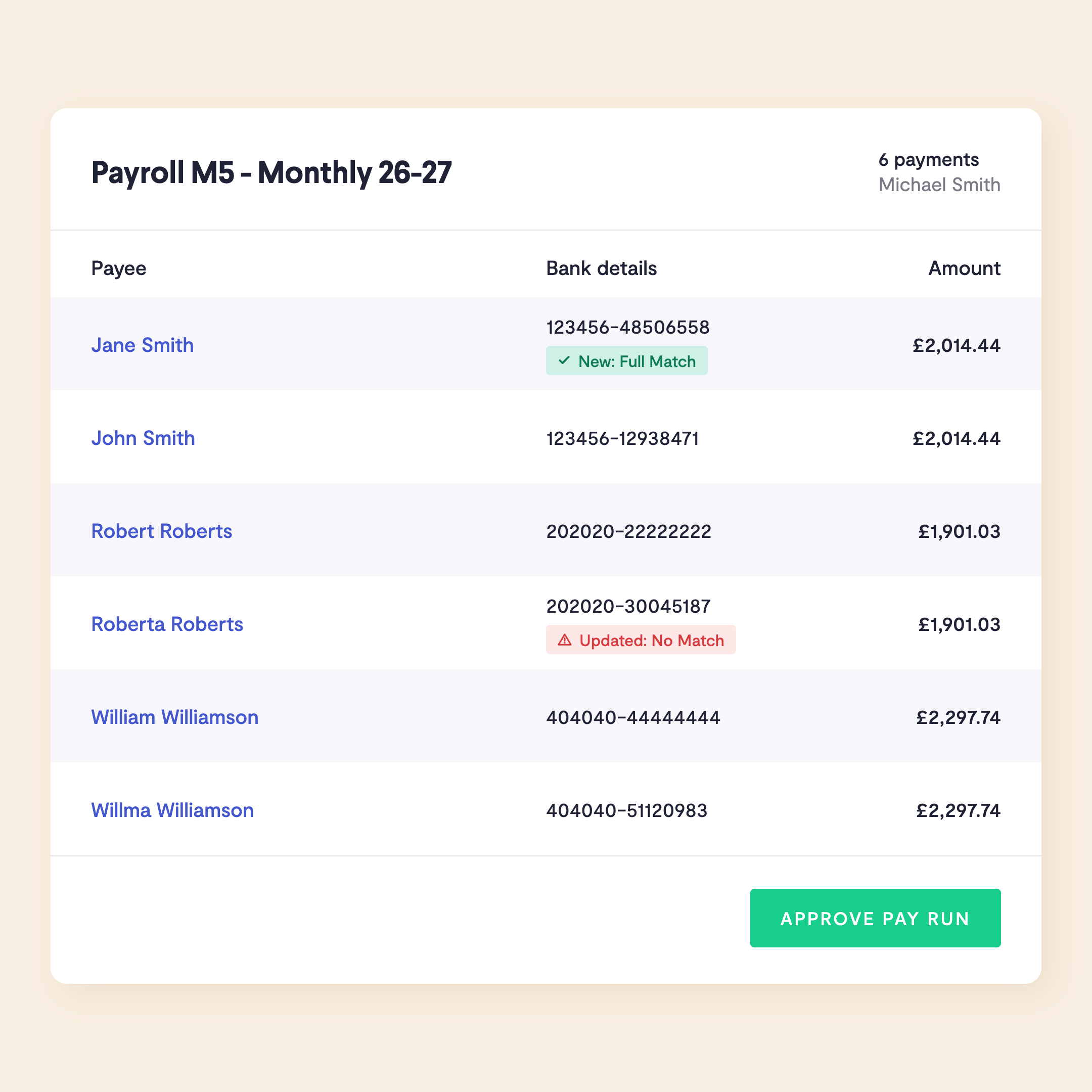
Flag suspicious payee changes and bank details
Stop errors and fraud before a single payment leaves your account. Telleroo matches every payment detail from Employment Hero against the recipient's bank account, so typos and honest slip-ups get caught early. If a payee's details change, you'll see a clear alert.
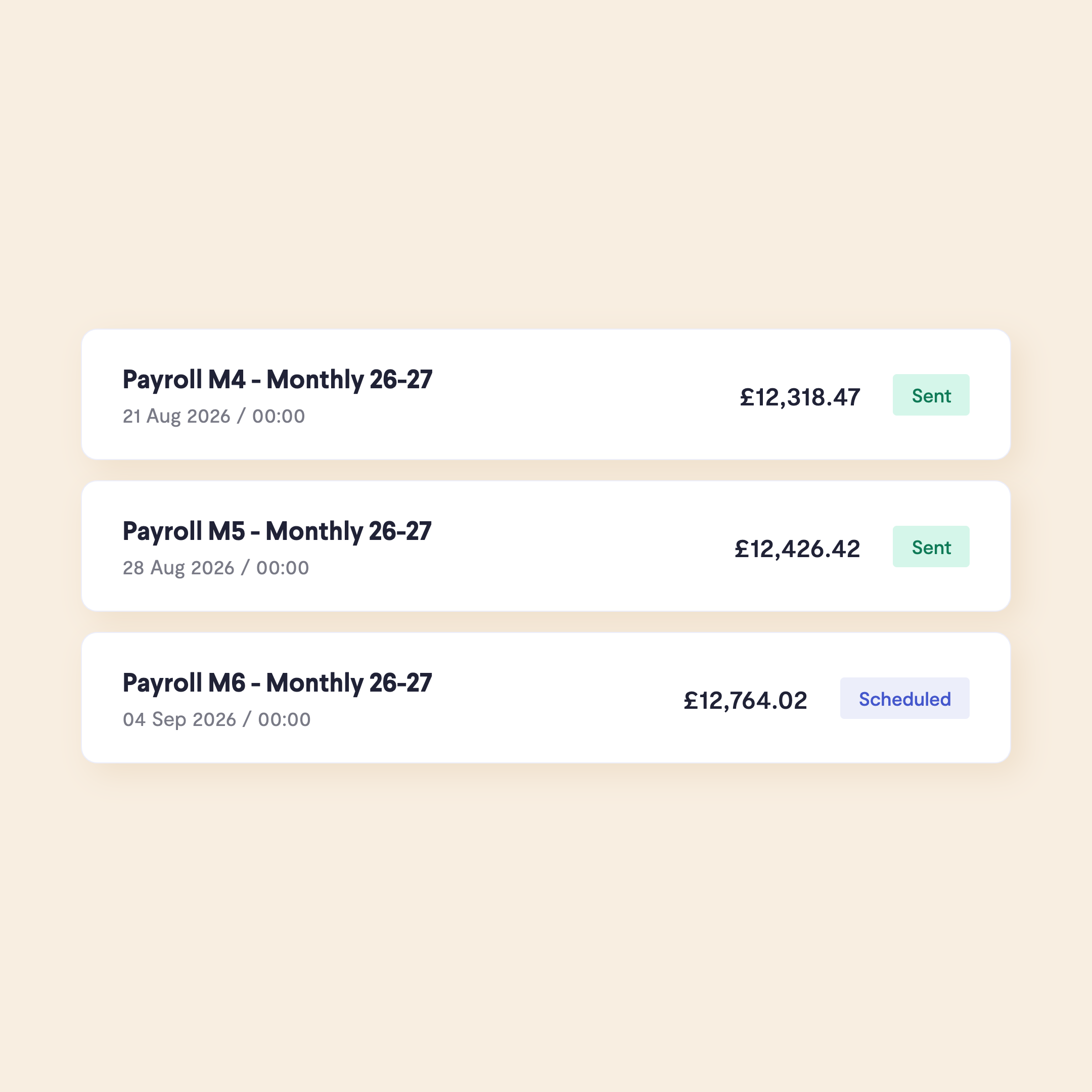
Pay staff immediately, or amend and reschedule pay runs
Once approved, your payments are automatically scheduled for the date you've chosen in Employment Hero. Pay your teams on any date you need, weekends and bank holidays included. Staff usually see their wages land within minutes.
Businesses spend a lot of time setting up payee details and keying in payments. This can leave a lot of room for errors such as incorrect, missed or duplicate payments. The Employment Hero to Telleroo integration allows you to send the payment details of a pay run to Telleroo, for efficient, instant payments.
Ensure pay runs are accurate every time with Employment Hero's direct integration with Telleroo. Telleroo flags new and updated payees and runs Confirmation of Payee checks on all recipients to catch errors and stop fraudsters in their tracks.
Eliminate the need to chase for timesheets or manually input the data. Employment Hero's Employee Self Service portal and mobile apps allows employees to manage their own timesheets, leave, expenses and payslips, eliminating manual effort from the accountant or bureau. All data automatically feeds into the pay run.
With Telleroo you can designate pay run creators, approvers and dual approvers so you can be confident that all payments have gone through the proper approval flows. When you sync a pay run form Employment Hero it automatically goes to the 'awaiting approval' stage in Telleroo, so your team always have final sign off.
Pay international employees just as easily as staff in the UK with Telleroo's built-in cross border payments. Convert and send payments in over 30 currencies using the SEPA and ACH networks, you can even send GBP abroad using the SWIFT network. The Telleroo Teams and Pro plans come with £15k-£35k of fee-free international payments a month.
Payments don't have to stop just because you're not at your desk. Your team can finalise payroll in Employment Hero then send to Telleroo in one click, if you're using the Telleroo mobile app for Apple or Android you'll get a notification on your phone, allowing you to approve and fund the pay run from the palm of your hand.
Yes. Employment Hero integrates directly with Telleroo, allowing you to send payroll payment files from Employment Hero to Telleroo in one click. Once the pay run is finalised in Employment Hero, payment details are synced to the 'awaiting approval' stage in Telleroo. So for you this means no manual bank uploads, no re-keying of employee details.
Once you have completed payroll in Employment Hero, you can sync the payment file to Telleroo in the click of a button. Authorised users can review, approve and release payments in Telleroo, with funds sent to employees via Faster Payments. The whole process can be completed in minutes, without logging into your bank.
Yes. Both Employment Hero and Telleroo integrate beautifully with Xero, so the three platforms work well together as a combined payroll, payments and accounting stack. Employment Hero maps to your Xero chart of accounts and tracking categories, while Telleroo syncs payroll from Employment Hero and invoices from Xero, then pushes payment data back to Xero for easy reconciliation.
Yes. Telleroo includes built-in fraud protection, with employee bank details automatically validated before any payment is processed. Telleroo flags new payees and recently changed bank details, and checks for duplicate payments, reducing the risk of misdirected or fraudulent payroll payments. You can also add approvers so all payments are signed off by at least 2 people before being sent.
In your Employment Hero account, once payroll is finalised, navigate to the Pay Run menu and open the relevant pay run. Under the Actions tab, click Download Payment File, then confirm by clicking Download Payment File again. The file can then be uploaded manually to your bank portal to process payments, though this approach requires a separate login, a manual upload step, and carries the risk of errors or delays if the file is handled incorrectly. A faster alternative is to connect Employment Hero to Telleroo. Instead of downloading and uploading a file, Telleroo receives the payment details directly from Employment Hero, with built-in approval flows, bank detail validation, and no bank logins or file imports required.
No hidden fees, no lock-in contracts, get started today.
Telleroo (Firm Reference 1024627) is authorised by the Financial Conduct Authority (FCA), under the Electronic Money Regulations 2011 and the Payment Services Regulations 2017. Telleroo issues electronic money and holds all relevant client funds in a safeguarded account at ClearBank Ltd (Firm Reference 754568), regulated by the Prudential Regulation Authority and the FCA.
Give us a call: 0203 6334 810 / St Mary's Court, Amersham, Buckinghamshire, England, HP7 0UT.