Stop invoice fraud before it happens

Telleroo helps you reduce payment risks with built-in invoice fraud checks. So you can catch fraudulent payments before money leaves your account.

The logos of the software Telleroo syncs with, including Xero, QuickBooks, Employment Hero and more

Instantly check an invoice for signs of fraud

Not sure if a payment request is legit or fraudulent? With Telleroo’s invoice verification tool, we'll alert you to any red flags that could indicate fraud. Simply enter the supplier’s company name and email address as found on the invoice, and we’ll email you a risk score to help you determine if an invoice is genuine.

As shown on invoice (not the trading name)

Copy and paste the email you received the invoice from

We'll email you your results

By submitting this form you agree to be contacted by Telleroo with offers and product updates.

Supplier's details submitted successfully.

We're analysing the supplier's details. You'll receive an email within the next few minutes with the results of our verification.

Something went wrong while submitting the form. Please try again.
Supplier verification tool.

What is APP fraud?

Authorised Push Payment (APP) fraud is when fraudsters trick businesses into transferring money to the wrong account by impersonating a supplier, colleague, or trusted partner. APP fraud typically involves three key elements:
1

A fake invoice sent from a convincing email address, often mimicking a real supplier or colleague.

2

An invoice from a newly registered company designed to look like a genuine supplier.

3

An urgent request designed to pressure you into skipping verification steps.

APP fraud.

How to avoid being defrauded by fake invoices

Fraudsters are smart - but you can be smarter. Simple habits can help protect your business from the most common types of Accounts Payable fraud.
Tick
Independently verify new or updated bank details
Tick
Check the source and legitimacy of invoices
Tick
Be suspicious of urgent or unusual payment requests
Tick
Regularly train your team to spot red flags
Tick
Implement multi-step payment approval workflows
Ready to keep your payments safe?
Sign up now
Fraud prevention.

Payment peace of mind with Telleroo

With Authorised Push Payment fraud on the rise, Telleroo proactively protects against fraud each time you make a payment. Here’s how we help:
Account and transactions picture

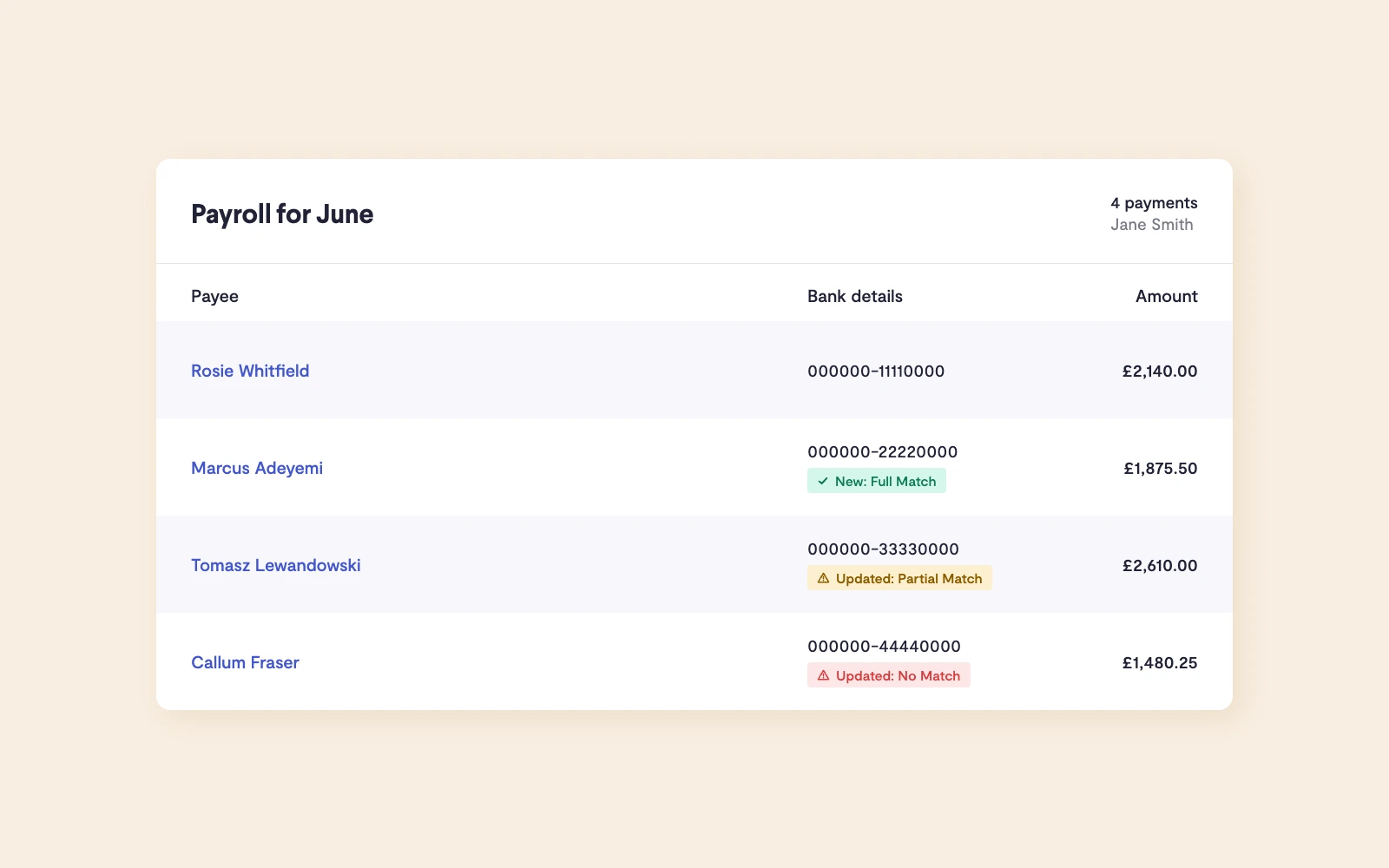
New and updated payees flagged automatically

Telleroo highlights new or updated payee details to help you spot suspicious changes before it's too late. No more surprises. No more silent bank detail swaps.

Ensure account name matches payee name  

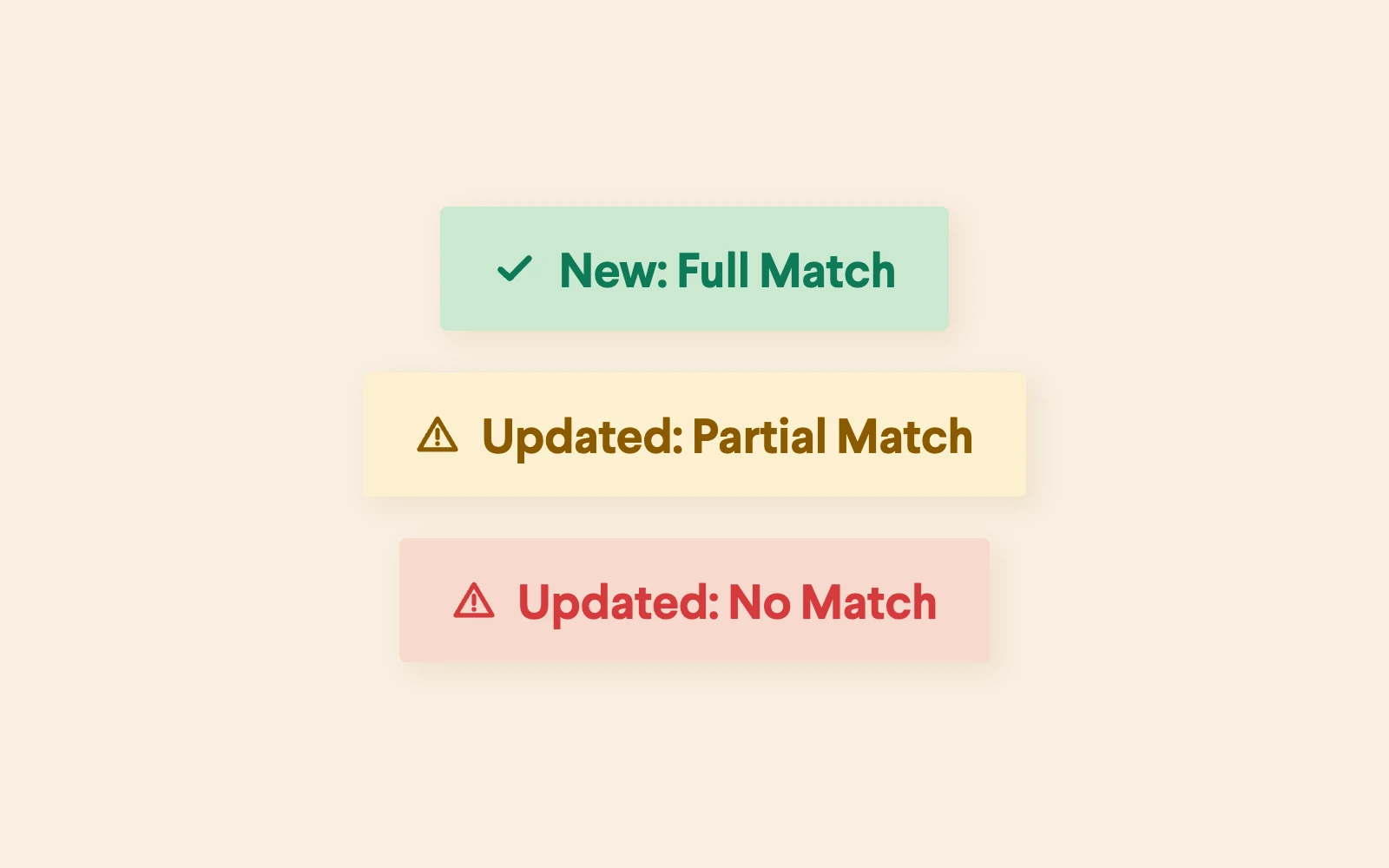
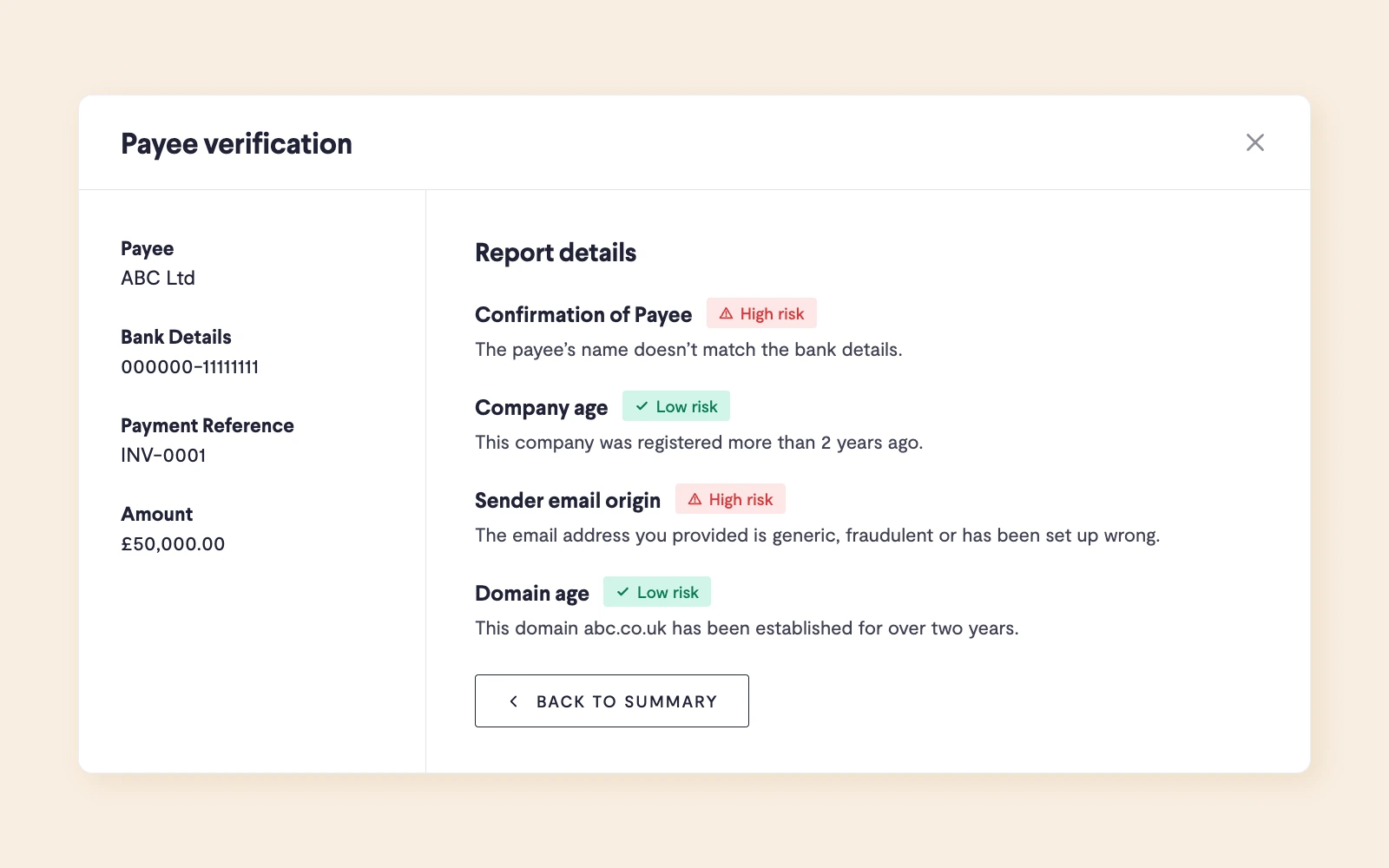
We'll run Confirmation of Payee checks to let you know if the name on a recipient's bank account is a full match, partial match or no match to the name of the person or business you're trying to pay.

Account and transactions pictureAccount and transactions picture

Check if an invoice is potentially fraudulent

Telleroo's payment verification tool will scan your invoices for key indicators of fraud. Letting you know if a payment has a high, medium or low risk of being fraudulent.

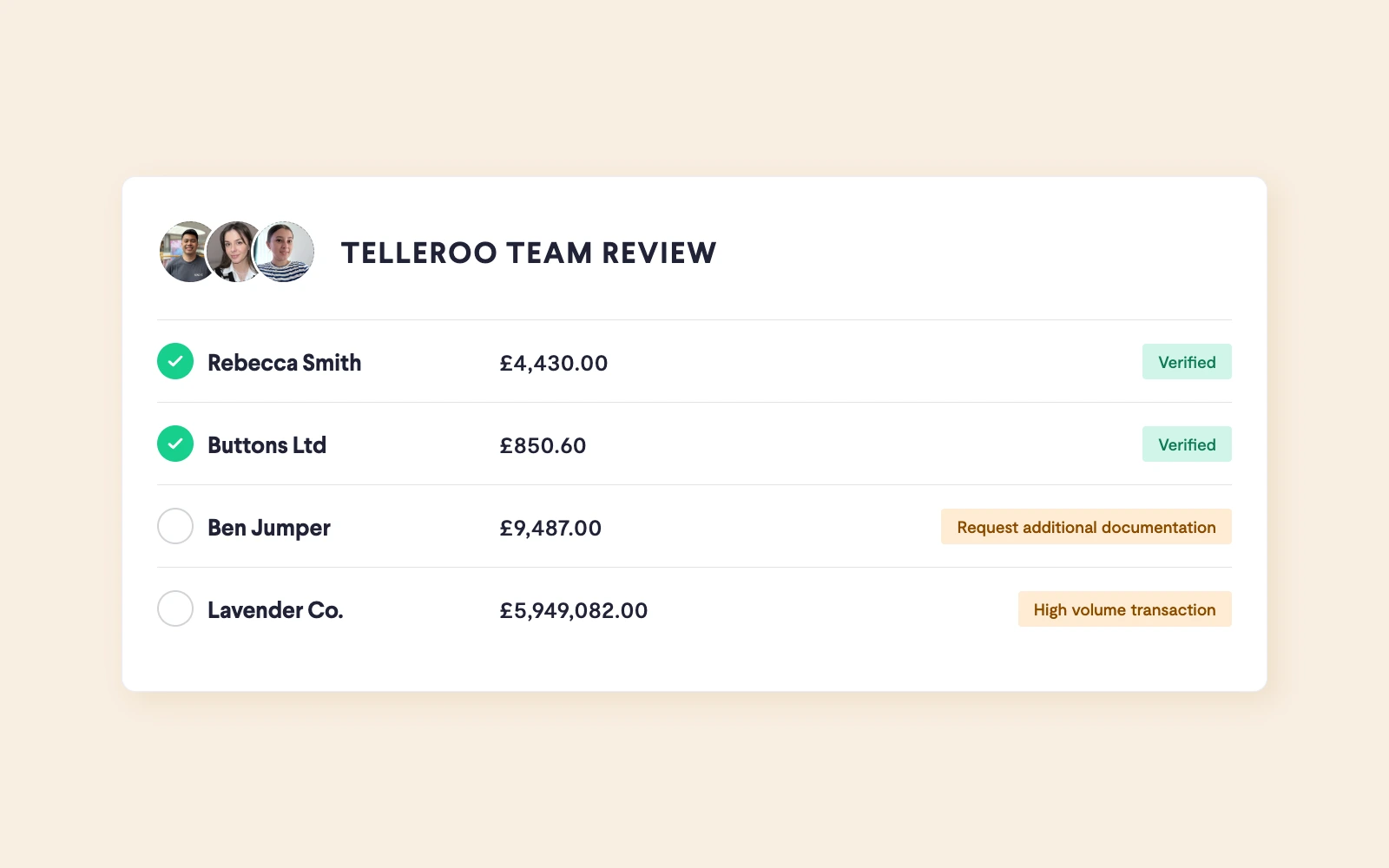
All transactions monitored by our expert team

Our team proactively flags payments that are outside of the usual scope for your business. You'll have a full team of people working to protect you from payment fraud.

Account and transactions picture
Features.

£2.5K saved from fraudsters

How Telleroo alerted APH Accountants to a fraulent payment before it was sent

The story

Paul White, Director of APH Accountants received an email from an employee asking to update their bank details. This was only discovered to be fraudulent when the employee messaged saying she had not been paid.


Paul says, "The email was incredible. I looked back at it and realised there was just one small letter change in the email address. Otherwise, it looked completely legit. I still can't believe it, things like this don't normally get past us."

"Telleroo emailed literally as I was looking into the payment. It was a great catch by the team. They detected that it was fraudulent, and they flagged it to me, and they stopped the payment from being sent. Telleroo gives us that extra layer of security that you don’t get with a bank.”

Paul White
Director of APH Accountants
How Telleroo caught this payment:
The payee had new bank details
The payee name didn’t match the bank account name
Telleroo’s compliance team reviewed the transaction
Telleroo immediately put the payment on hold and contacted Paul.
Case study.

FAQs

Arrow right

Authorised Push Payment (APP) fraud is a type of scam where a person or business is tricked into willingly sending money to a fraudster. In most cases, the scam impersonates a trusted supplier, colleague, or business to elicit a payment to the wrong bank account. Because the payment is “authorised” by the sender, it’s harder to recover the funds, posing a serious risk for businesses.

APP fraud often involves fake invoices, urgent requests, or bank detail changes that appear legitimate. Businesses can reduce their risk by using invoice verification tools, confirming payment details, and having clear approval processes in place.

Arrow right

Invoice verification is the process of checking if an invoice is genuine before paying it. It helps protect businesses from fraud by identifying red flags like new supplier bank accounts, suspicious email addresses, or unusual payment details. Invoice verification is also an important process to ensure the contents of an invoice are accurate.

Arrow right

Invoice fraud can result in significant financial loss if not caught in time. Here are a few ways to reduce the risk to your business:
- Confirm new or updated payment details independently before sending payments
- Use software to flag suspicious payments
- Establish multi-step approval workflows for all payments
- Train your team to spot common red flags such as unexpected payment requests

Using a solution like Telleroo’s invoice verification tool can help your business detect fraudulent invoices before money leaves your account.

Arrow right

When you input supplier company name and sender email address we'll check these for signs of fraud. Specifically, we'll look at whether the company is newly registered, which can be a red flag, or if the email comes from a generic domain like Gmail rather than a verified business address. The tool then provides a risk signal, helping you assess whether the invoice may be suspicious. It’s a fast and simple way to improve your supplier due diligence process and reduce the risk of fraud.

Arrow right

Confirmation of Payee (CoP) is a name-checking service that verifies whether the name on a recipient's bank account matches the name you're trying to pay. When you enter a payee's account number and sort code, CoP returns one of three results: a full match, a partial match, or no match. A partial or no match is a strong signal to pause and double-check before sending any money, it could indicate fraud, an error, or a genuine account change that needs verifying. Telleroo runs Confirmation of Payee checks on all UK recipients automatically, flagging anything that doesn't look right before a payment is sent.

Arrow right

Fake invoices are designed to look genuine, but there are common red flags to watch for: an email address that doesn't quite match your supplier's real domain, a request to update bank details alongside an invoice, unusual urgency, a newly registered company name, or invoice amounts that differ from your usual arrangement. If something feels off, verify directly with your supplier using contact details you already hold, never use the contact details on the invoice itself.

Arrow right

A payment approval workflow is a process that requires one or more people to review and authorise payments before they're sent. By separating who creates payments from who approves them, you significantly reduce the risk of fraud and human error, any suspicious or incorrect payment is more likely to be caught before money leaves your account. For businesses processing payroll or high volumes of supplier payments, multi-step approvals are considered best practice. Telleroo has flexible approval workflows built in, with the option to require dual approval for added security.

Arrow right

Treat any bank detail change request with caution, it's one of the most common tactics used in invoice fraud. Never update details based on an email alone, even if it looks legitimate. Call your supplier directly using a number you already have on file to confirm the change, and use a payment platform that runs Confirmation of Payee (CoP) checks to verify the new account name before sending any payment. Making this a formal step in your accounts payable process ensures your whole team knows never to action bank detail changes without independent verification. Telleroo automatically runs CoP checks and flags new and updated payee details in every pay run, prompting your team to check before approving.

Frequently Asked Questions.

Smarter business payments with Telleroo

Book a platform demo or sign up.